If you've ever stood at a tabletop machine, pulled a ball back, and let it climb a slanted board before gravity dragged it down into a scoring slot, you already know this game. It goes by a few names, Star Cluster Ball, Yotyan, Unc Ball, and it has been weirdly hard to find done right on a phone. Tilt Pool is my attempt to recreate it faithfully: real tilt physics, no auto-aim, just you and the table.
What is Tilt Pool?
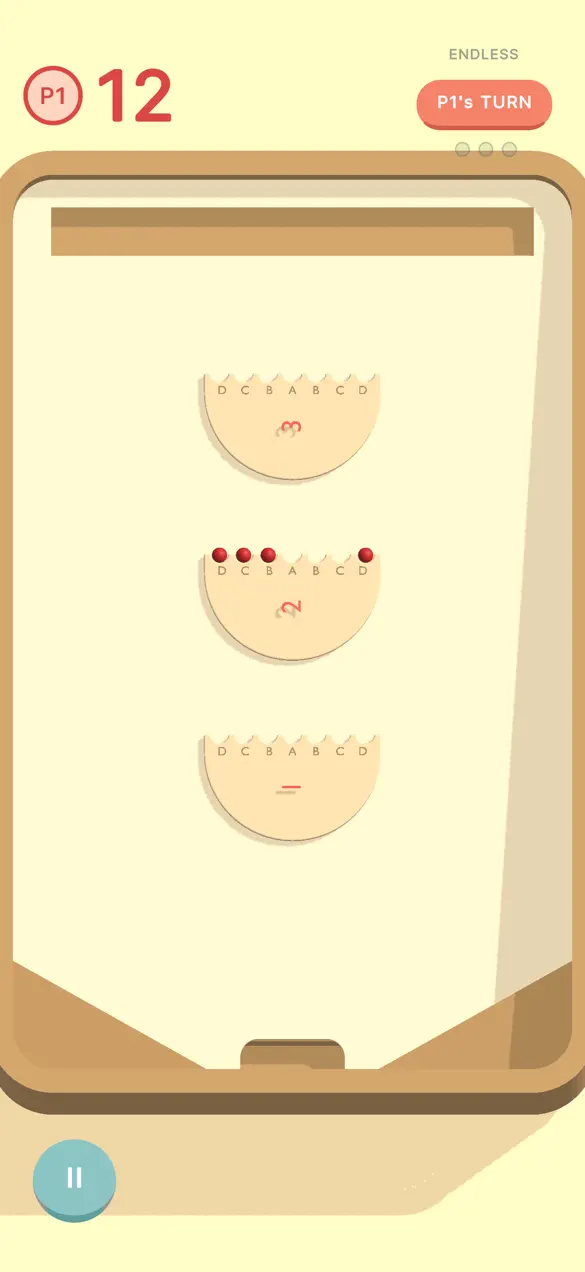
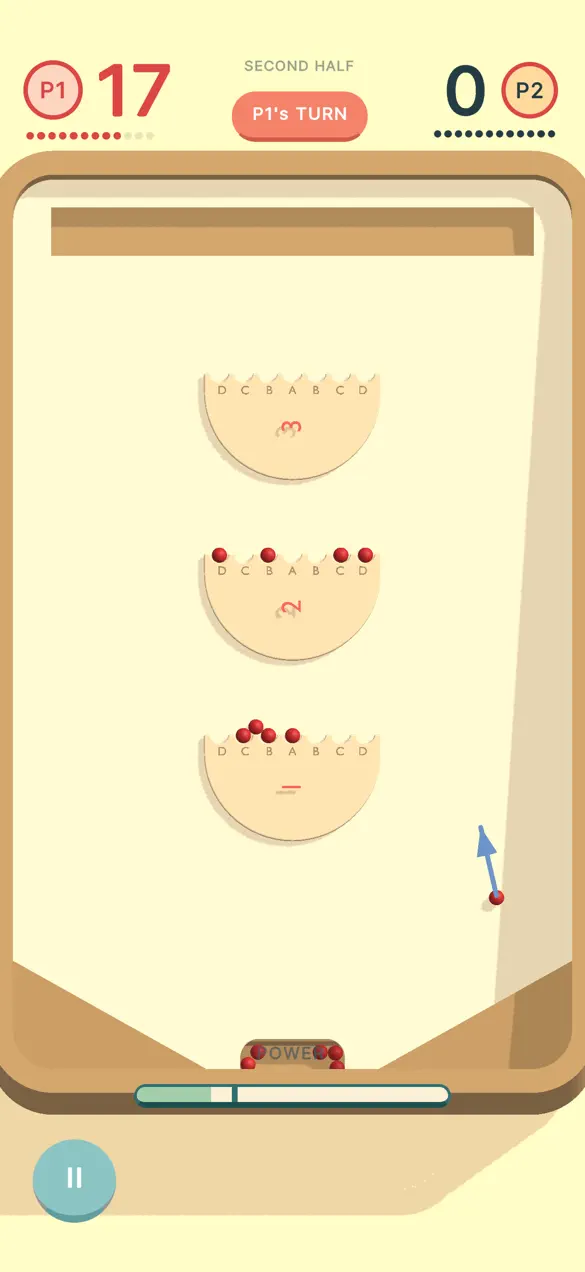
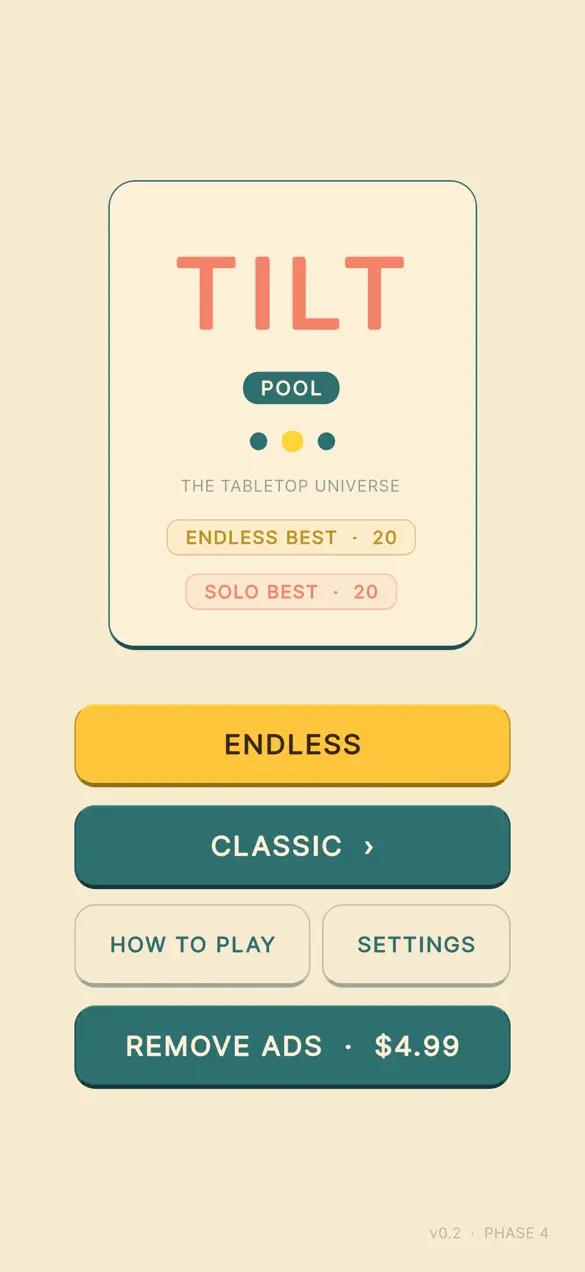
Tilt Pool is a free iPhone recreation of the Star Cluster Ball arcade game, also known as Yotyan or Unc Ball. You flick a ball up an inclined table, watch gravity bring it back down, and try to land it in one of 21 scoring slots spread across three discs worth one, two, and three points by distance. There are three discs, three point values, and one bell at the top.
The app is made by Foggo Apps, the independent studio of iOS developer Charles Chiejina. It was built around the quirks of the real tabletop, bridge balls, halftime, the bell ringer, rather than smoothing them away, so the feel matches the machine it's based on.
| Platform | iOS (iPhone) |
|---|---|
| Category | Games · Board |
| Price | Free, with non-personalized ads |
| Best for | Arcade fans, high-score chasers, pass-and-play with a friend |
| Scoring | 21 hand-pocketed slots across three discs (1 / 2 / 3 points) |
Who is Tilt Pool for?
Tilt Pool is built for anyone who likes a simple, skill-based arcade game with a bit of history behind it. A few examples:
- Fans of the original machine who grew up with Star Cluster Ball, Yotyan, or Unc Ball and want the real thing in their pocket.
- High-score chasers who want a tight loop they can replay for a better run, whether across two halves or an endless rack.
- Couch competitors who want a fast 1v1 pass-and-play they can hand back and forth, Red versus Black.
- Anyone who prefers skill over assistance, there's no auto-aim and no auto-correct, so every slot you hit is yours.
How to play your first rack
You can be slotting balls within seconds of opening the app:
- Pick a mode, start with Solo for a structured run of two halves and 24 balls.
- Choose your control style in Settings: Pull to drag back from the launcher like a slingshot, or Glide to carry a dome over the table.
- Set your power and angle, then release to flick the ball up the inclined table.
- Watch gravity bring it back down and aim for the higher-value discs, the farther slots are worth more points.
- Ring the bell at the top, work the bridge balls and halftime, and beat your saved high score.
What makes Tilt Pool different
Two control styles, your choice
You can play with Pull, which drags back from the launcher like a slingshot for that old-school feel with full power and angle control. Or you can play with Glide, where you carry a dome over the table, wind up your aim, and release, bending the shot with side spin based on how you carry it. Switch between them any time in Settings, so the game adapts to how you like to aim.
Real-tilt physics, no shortcuts
There's no auto-aim and no auto-correct. The ball climbs the inclined table and gravity does the rest, exactly as it would on the real machine. The 21 scoring slots are hand-pocketed across three discs, and the points scale with distance, so the better runs are the ones where you earn the long shots cleanly.
Three ways to play
Solo gives you two halves and 24 balls to beat your high score. Endless runs on three strikes and an infinite rack, how long can you keep slotting? And 1v1 Local is pass-and-play, Red versus Black, for a quick head-to-head on one device. VS AI and Online modes are coming soon. If you enjoy this kind of one-thumb arcade challenge, you might also like the other games over on the Foggo Apps blog.
Why faithfully recreate an old arcade game?
Games like Star Cluster Ball are easy to half-remember and hard to actually find. They were tabletop fixtures with their own physical feel, the climb, the rollback, the satisfying drop into a slot, and most digital versions either oversimplify them or bolt on assistance that takes the skill out. Tilt Pool keeps the quirks that made the original fun: bridge balls, halftime, the bell ringer, and a scoring board that rewards the longer, riskier shots. The goal isn't nostalgia for its own sake; it's preserving a small, well-made game that deserves to stay playable.
Frequently asked questions
Is Tilt Pool free?
Yes. Tilt Pool: Star Cluster Ball is free to download on the App Store and Google Play. Ads are non-personalized, no tracking, no IDFA, and no consent prompts.
What is the Star Cluster Ball game, also called Yotyan?
Star Cluster Ball, also known as Yotyan or Unc Ball, is a tabletop arcade game where you flick a ball up an inclined table and gravity rolls it back down into one of 21 scoring slots arranged across three discs worth one, two, and three points by distance. Tilt Pool recreates it faithfully on iPhone.
How do you control the ball in Tilt Pool?
There are two control styles. Pull lets you drag back from the launcher like a slingshot for full power and angle control. Glide lets you carry a dome over the table to wind up your aim and bend the shot with side spin. You can switch between them any time in Settings.
What game modes does Tilt Pool have?
Tilt Pool offers Solo (two halves, 24 balls, beat your high score), Endless (three strikes, infinite rack), and 1v1 Local pass-and-play with a friend as Red versus Black. VS AI and Online modes are coming soon.