Most interval timers either do too little, a single beep on a loop, or bury a simple idea under menus you have to fight through mid-workout. Tempo is built around one belief: a timer should give you exactly the cue you need, exactly when you need it, and then disappear. Here's what it does, who it's for, and how to build your first session in under a minute.
What is Tempo?
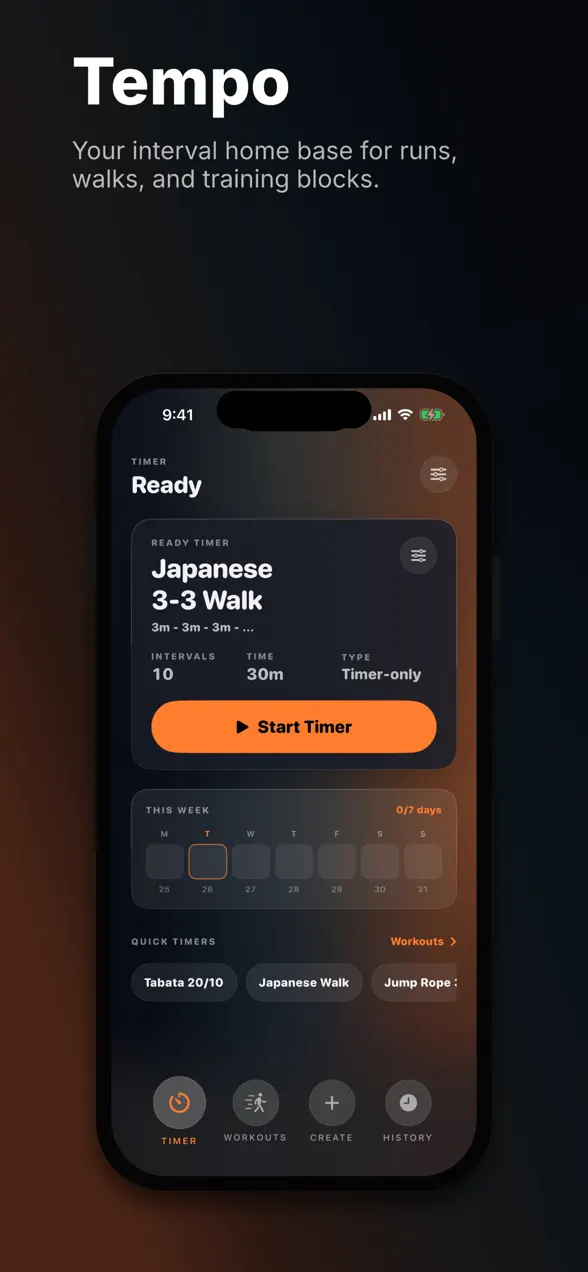
Tempo is a free interval timer for iPhone designed for any workout that runs on a rhythm of work and rest. That covers a lot of ground: HIIT and Tabata circuits, run-walk training, Japanese interval walking, jump rope, ab and core sets, boxing rounds, hiking intervals, mobility flows, and whatever custom tempo you invent. You build a session out of intervals, work, rest, warmup, cooldown, and repeat groups, and Tempo counts you through it with clear visuals, audio cues, and haptics.
The app is made by Foggo Apps, the independent studio of iOS developer Charles Chiejina. It was built privacy-first: your workout data is never sold or shared, and the metrics it can read from Apple Health are opt-in.
| Platform | iOS (iPhone) |
|---|---|
| Category | Health & Fitness |
| Price | Free, with optional premium |
| Best for | HIIT, Tabata, run-walk, jump rope, boxing, mobility |
| Tracking | Optional GPS distance, heart rate, calories, steps (Apple Health) |
Who is Tempo for?
Tempo suits anyone whose training is structured around timed effort rather than a fixed exercise list. A few examples:
- HIIT and Tabata exercisers who need precise 20/10 or custom work/rest splits with audible round changes.
- Runners and walkers doing run-walk intervals or the increasingly popular Japanese interval walking method (alternating three minutes brisk, three minutes easy).
- Jump rope, boxing, and circuit athletes who want hands-free cues while their eyes and hands are busy.
- Anyone rehabbing or building mobility who needs a gentle, repeatable timer for holds and rest.
How to build your first interval workout
You can be training in about a minute:
- Open Tempo and start from a preset, for example, classic Tabata, or tap to create a new timer.
- Add intervals: set your work duration, your rest duration, and how many times to repeat the group. Add a warmup and cooldown if you want them.
- Label intervals ("Sprint", "Recover", "Plank") so the on-screen cue tells you what's coming next.
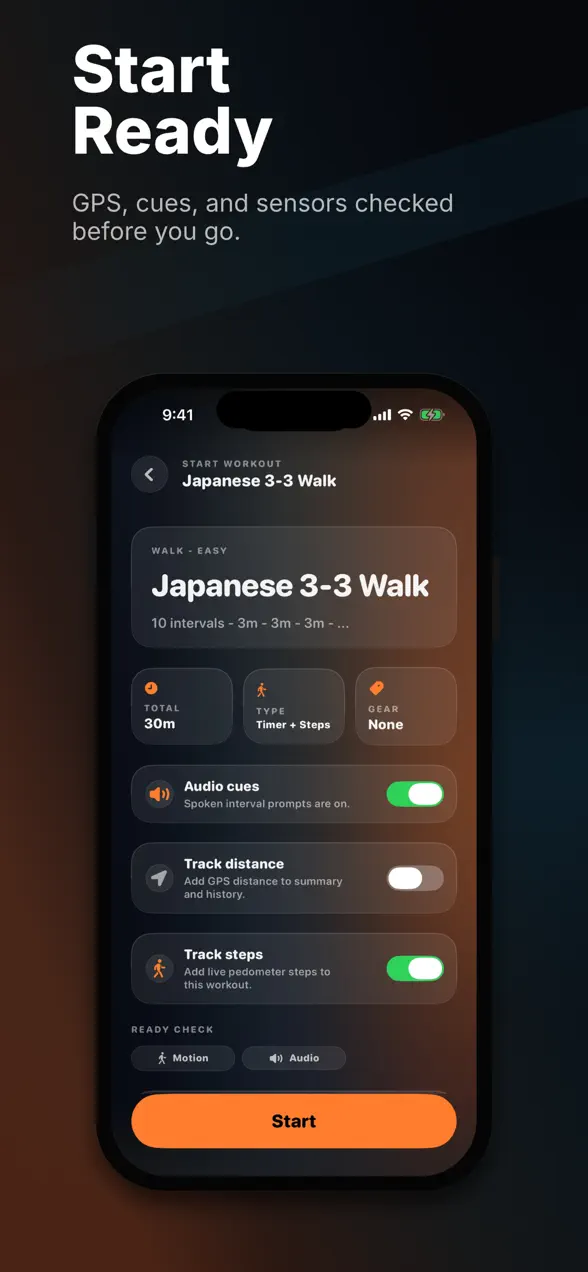
- Optionally turn on GPS distance and Apple Health metrics for runs and walks.
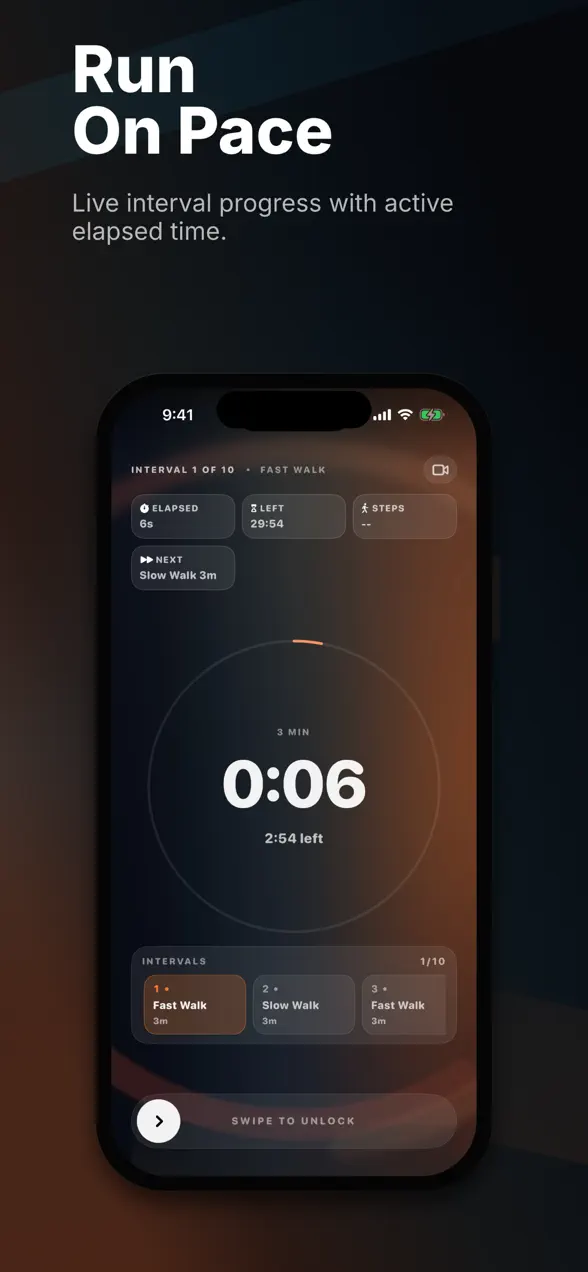
- Press start. Tempo shows the current interval, time remaining, what's next, and your live stats, and signals every change with sound and haptics.
What makes Tempo different
It stays readable mid-effort
During a workout the screen keeps the things that matter large and glanceable: current interval, time left, elapsed time, the next few intervals, and, when enabled, distance, pace, heart rate, calories, and steps. No squinting, no hunting.
Cues that work when you can't look
Audio and haptic cues fire on every interval change, and they keep working in the background with the screen locked or while another app is open. That's the whole point of a timer: you shouldn't have to watch it.
A premium video mode
Premium adds a camera mode that overlays the timer on a live front- or back-camera view, handy for filming form checks or workout clips with the countdown baked in.
A quick note on interval training
Interval training alternates harder effort with recovery, and it's one of the most time-efficient ways to train: research on high-intensity interval training has repeatedly shown meaningful fitness gains from short, structured sessions. The catch is that intervals only work if you actually honor the timing, and that's exactly the friction a good timer removes. Tempo's job is to be the part of your workout you never have to think about.
Frequently asked questions
Is Tempo free?
Yes. Tempo is free to download on the App Store. An optional premium tier adds the camera video mode and a few power-user extras, but the core interval timer is free to use.
Does Tempo work for HIIT and Tabata?
Yes. Tempo handles classic Tabata (20 seconds work / 10 seconds rest × 8), custom HIIT circuits, and any work/rest structure you define, including warmup, cooldown, and repeat groups.
Can Tempo track distance and heart rate?
Yes. Tempo can optionally track GPS distance and pace, and read heart rate, calories, and steps from Apple Health when you grant permission. Your workout data stays private and is never sold or shared.
Does the timer keep running in the background?
Yes. Tempo delivers audio and haptic interval cues even when your screen is locked or you're in another app, so you never miss an interval change.