Most step counters show you a number and leave it there. The trouble is that a number on its own rarely gets anyone off the couch. Simply Step takes the steps your iPhone already records and wraps them in something you actually want to come back to, coins to earn, cities to walk to, and a 3D character that's yours. Here's what it does, who it's for, and how to start your first journey.
What is Simply Step?
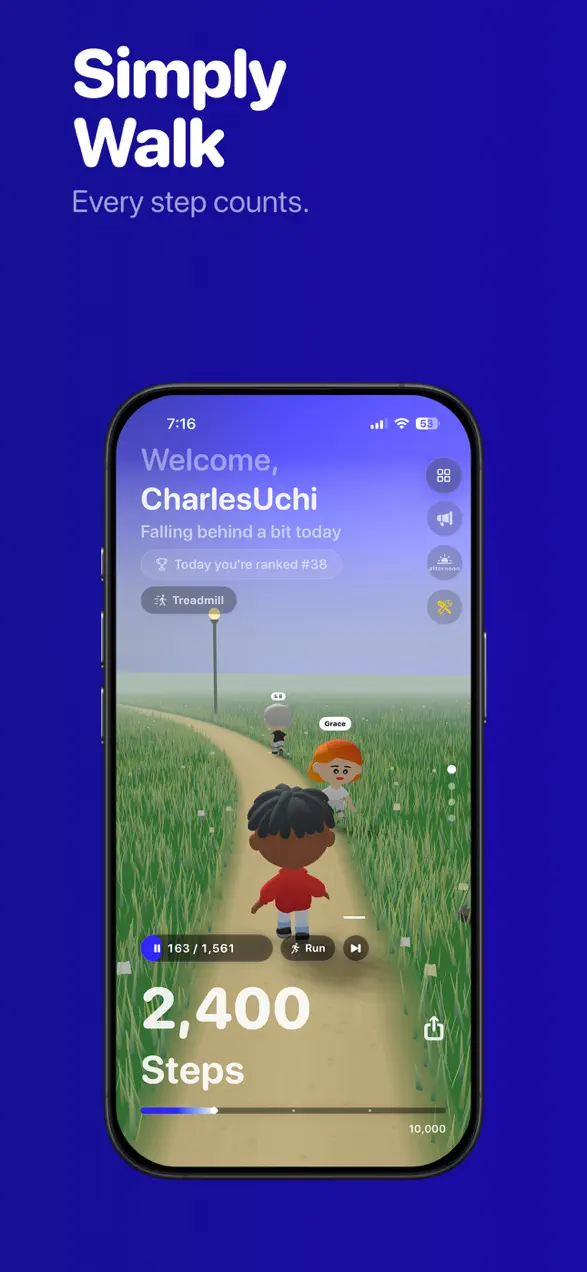
Simply Step is a free step counter for iPhone that turns daily walking into a rewarding adventure. It reads your steps live from Apple Health and puts them front and center, then layers a game on top: every 500 steps earns coins, your real steps walk you toward real cities, and you build out a customizable 3D character along the way. It's a pedometer that gives walking a point beyond the daily total.
The app is made by Foggo Apps, the independent studio of iOS developer Charles Chiejina, and it has earned a 4.5-star rating across 27 reviews on the App Store. It's available in 8 languages and built to stay lightweight and battery-friendly.
| Platform | iOS (iPhone & Apple Watch) |
|---|---|
| Category | Health & Fitness |
| Price | Free, with optional premium |
| Best for | Anyone who wants motivation to walk more |
| Tracking | Live steps, distance, calories & heart rate from Apple Health |
Who is Simply Step for?
Simply Step suits anyone who knows they should walk more but needs a reason that sticks. A few examples:
- People chasing a daily step goal who want streaks and rewards to keep the habit alive day after day.
- Walkers who get bored of plain numbers and would rather watch their steps carry them toward Tokyo or Barcelona.
- Friends and small groups who like a little competition, leaderboards, walking groups, and shared progress.
- Apple Watch users who want independent tracking, widgets, and GPS-tracked walking or running workouts.
How to start your first journey
You can be walking with a goal in mind in about a minute:
- Open Simply Step and grant Apple Health access so your live step count appears front and center.
- Set a personalized daily step goal, this is what your streak is built on.
- Create and customize your 3D character from 369 items across 15 categories, including outfits, hats, and glasses.
- Pick your first Virtual City Journey and start walking. Your real steps move you toward the destination.
- Every 500 steps earns coins to spend in the character shop, and finishing a journey adds a stamp to your passport.
What makes Simply Step different
Your steps go somewhere
Virtual City Journeys turn your actual steps into progress toward 21 real cities, from Miami to Tokyo to Barcelona. You complete one journey, collect a stamp for your passport, then choose the next destination. Each city you reach gets recorded on a 3D-flippable stamp card with the date you arrived, so your collection becomes a record of how far you've actually walked.
The full picture at a glance
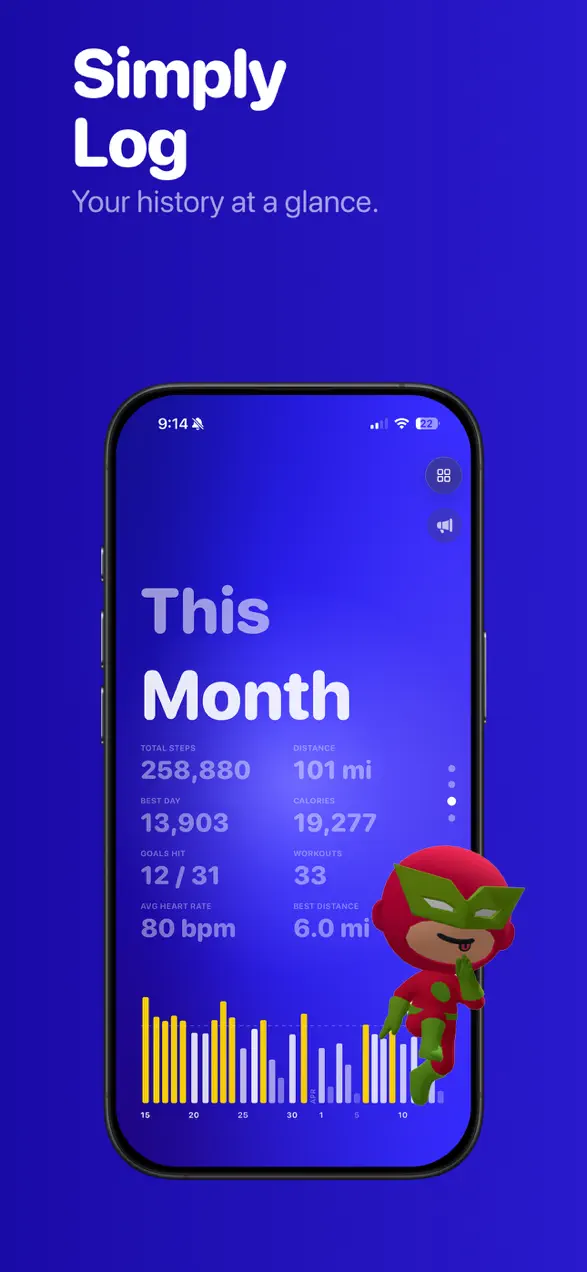
Your step count updates live from Apple Health, and a single tap switches the display between steps and distance. Beyond the headline number, the activity stats view shows total steps, distance, calories, best day, goals hit, workouts, average heart rate, and best distance, all with smooth animated transitions. Weekly, monthly, and yearly charts let you see whether you're trending up or slipping.
Rewards that pull you back
Walking earns coins every 500 steps, which you spend dressing up your 3D character, and premium members earn 3x coins. That loop of walk, earn, customize is the quiet engine of the app: it gives a routine walk a small, satisfying payoff that a bare step total never does.
Explore your city
The map starts hidden, and walking reveals it. Wherever you go, the streets you cover light up and stay lit, so your neighborhood slowly fills in like a picture you are painting with your feet. You can see how much of your city you have covered, which countries you have walked in, and how you rank against friends and the world on the explorer leaderboards. Only real walks count, the app can tell when you are driving. If you love this idea, we compared it head to head with the app that made it popular in Simply Step vs Stomped.
A home that grows as you walk
My Room is your character's own 3D home. Furniture is bought with the coins you earn walking, from a catalog of 68 pieces, and you can add whole rooms over time: a gym, a studio, a den. Name your house, arrange your shelves, and let friends drop by and leave sealed letters in your mailbox. It is one more place your steps quietly turn into something you can see.
Why a gamified step counter actually helps
Walking is the most accessible exercise there is, but the hardest part is consistency, most people don't quit because it's difficult, they quit because it's dull. Reframing steps as progress toward a destination, a coin balance, or a streak gives your brain a reason to keep going on the days motivation runs thin. Simply Step doesn't change how far you walk in a single trip; it changes how likely you are to walk again tomorrow. If you like the idea of pairing fitness with a bit of play, it's worth browsing the rest of the Foggo Apps blog for more apps built on the same idea.
Beyond the basics
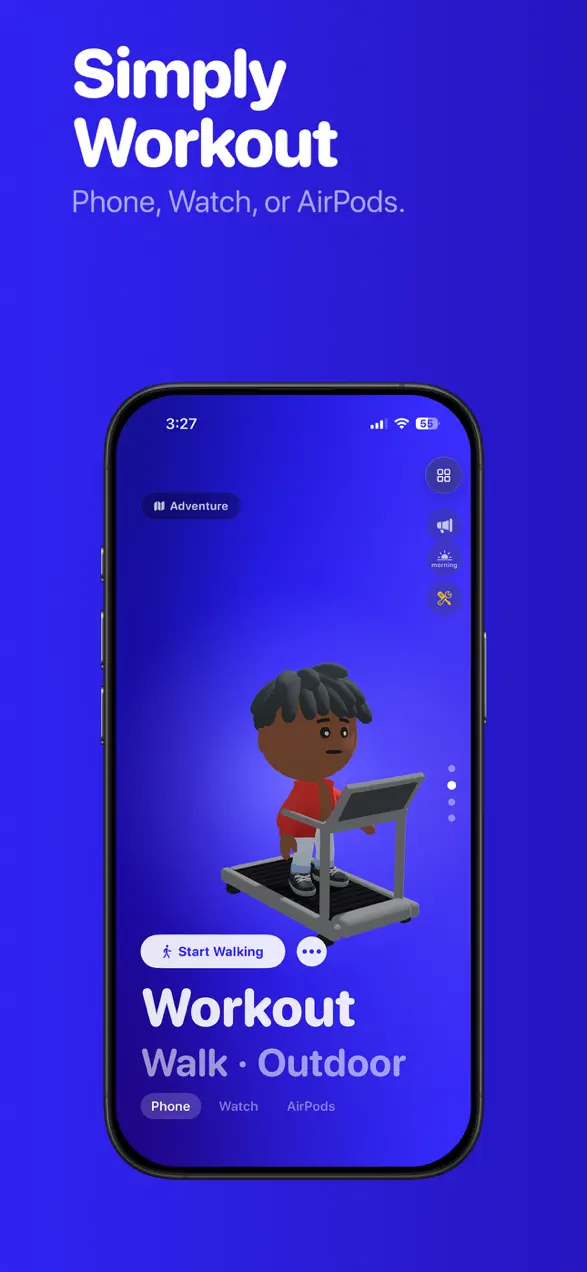
Simply Step also keeps the momentum going with 54 achievements across Bronze, Silver, Gold, and Platinum tiers, plus daily goals and streaks with a streak restore so one missed day does not erase your progress. You can add friends with a code and compare steps on daily, weekly, monthly, and reputation leaderboards, or create and join walking groups that compete and track streaks as a team. Workouts cover walking and running, indoor and outdoor with GPS route tracking and a replay you can export as a video, and work with iPhone, Apple Watch, or AirPods. Four themes (Blue, Earth, Rose, and Mono) each bring their own gradient background and app icon, and home screen widgets show today's steps, goal progress, and a weekly chart without opening the app.
Frequently asked questions
Is Simply Step free?
Yes. Simply Step is free to download on the App Store. An optional premium membership adds perks like 3x coin earnings, but the live step counter, charts, stats, and virtual journeys are free to use.
Where does Simply Step get my step count?
Simply Step reads your steps live from Apple Health, so it counts the same steps your iPhone and Apple Watch already record. You can tap to switch between steps and distance, and view weekly, monthly, and yearly charts.
What are Virtual City Journeys?
Virtual City Journeys turn your real steps into progress toward 21 real cities, from Miami to Tokyo to Barcelona. You complete one journey, collect a passport stamp, then pick your next destination, every step gets you closer.
Does Simply Step work with Apple Watch?
Yes. Simply Step includes an Apple Watch app with independent tracking, plus home screen widgets, walking and running workouts with GPS route tracking, and live step updates from Apple Health.