Your camera roll is full of moments you never look at twice. ScrapIt takes those photos and gives them a second life, first as a puzzle you have to piece back together, then as a page in a digital scrapbook you can decorate and share. It's part game, part memory keeper, and it's built to be fun for everyone in the family. Here's what it does, who it's for, and how to get started.
What is ScrapIt Puzzles?
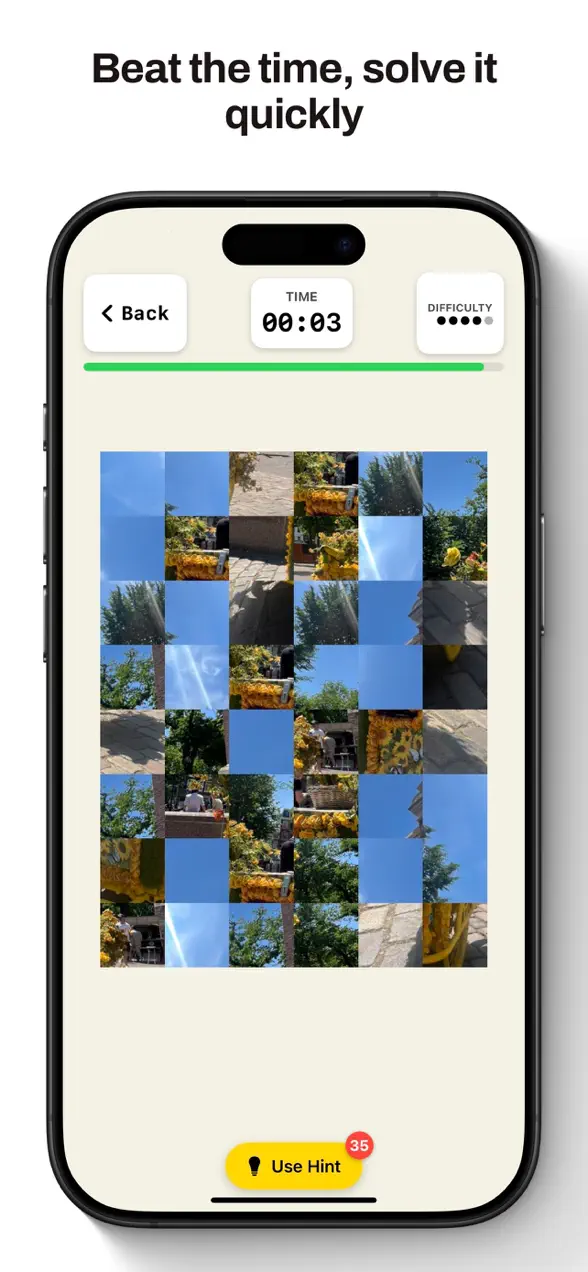
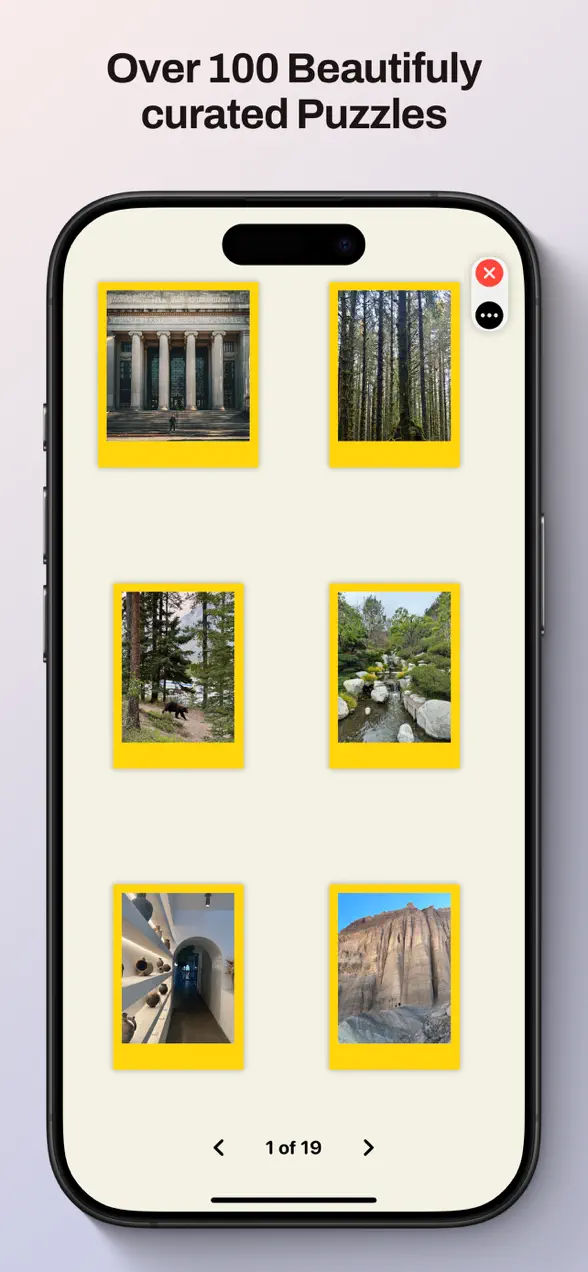
ScrapIt is a free iPhone and iPad app that transforms your favorite photos into interactive puzzles and beautiful digital scrapbooks. You can jump straight in with a gallery of breathtaking photo collections curated by friends, or turn your own photos into custom puzzles. Solve them in Classic or Timed mode, then decorate and share your memories, all from one playful, touch-friendly app.
The app is made by Foggo Apps, the independent studio of iOS developer Charles Chiejina. It pairs the satisfaction of a jigsaw with the warmth of scrapbooking, so the same photo can be both a challenge and a keepsake.
| Platform | iOS (iPhone & iPad) |
|---|---|
| Category | Games · Puzzle |
| Price | Free |
| Best for | Puzzle lovers, memory keepers, families |
| Modes | Classic and Timed puzzles, plus scrapbook building |
Who is ScrapIt for?
ScrapIt sits at the crossroads of casual gaming and creative memory keeping, so it appeals to a few different kinds of people:
- Puzzle lovers who want fresh jigsaws instead of the same stock images, every photo becomes a new puzzle.
- Memory keepers who like to revisit photos and build something lasting out of them with stickers, drawings, and text.
- Families and players of all ages, thanks to an intuitive, touch-friendly interface that's easy to pick up.
- Anyone who loves to share, finished puzzles and decorated scrapbook pages are made to be saved and sent to friends and family.
How to get started with ScrapIt
You can be playing within seconds of opening the app:
- Open ScrapIt and browse the gallery of gorgeous, friend-curated photo collections to puzzle and enjoy.
- Or tap to turn one of your own photos into a custom puzzle.
- Choose Classic mode to solve at your own pace, or Timed mode to race the clock.
- Piece the photo back together with simple touch gestures.
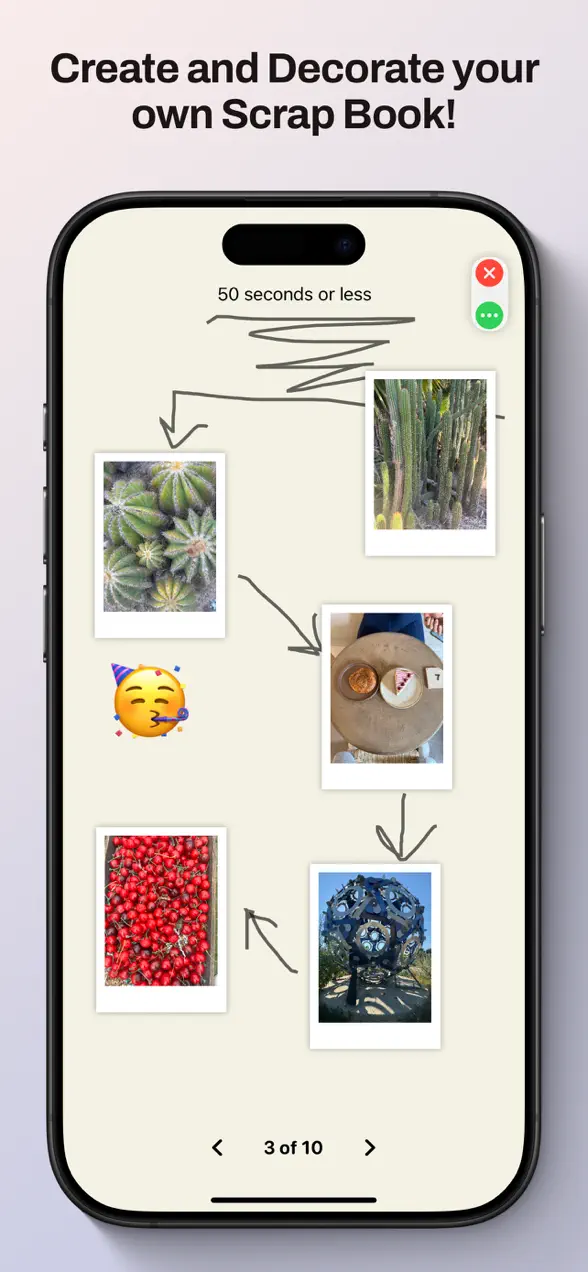
- Build a digital scrapbook around your photos, decorate with stickers, drawings, and text, then save and share your creation.
What makes ScrapIt different
Puzzles built from photos that matter
Most puzzle games hand you generic artwork. ScrapIt flips that around: it turns your own photos into custom puzzles, so the picture you're rebuilding is one you actually care about. You can also explore friend-curated galleries when you want a fresh challenge without choosing a photo yourself.
Two ways to play
Classic mode is the relaxed option, no timer, just you and the picture, perfect for unwinding. Timed mode adds a countdown for players who want a challenge and something to beat. The same photo can be a calm afternoon or a personal best, depending on your mood.
Scrapbooks you can decorate and share
Beyond puzzles, ScrapIt lets you build and decorate digital scrapbooks with stickers, drawings, and text. Reset, undo, and redo options give you room to experiment without fear of ruining a page, and when you're happy with a creation you can save and share it with friends and family.
Why turning photos into puzzles works
There's a reason rebuilding a picture feels so good: you slow down and really look at it. A photo that flew past in a camera-roll scroll suddenly gets your full attention, piece by piece, until the whole memory snaps back into focus. ScrapIt leans into that, the puzzle is the reason to revisit a moment, and the scrapbook is where you get to keep it. If you enjoy apps that make everyday photos feel new again, you might also like browsing the rest of the Foggo Apps stories for more in that spirit.
Frequently asked questions
Is ScrapIt Puzzles free?
Yes. ScrapIt Puzzles is free to download on the App Store, so you can explore the curated photo galleries, build puzzles, and start a scrapbook without paying anything upfront.
Can I make a puzzle from my own photos?
Yes. ScrapIt turns your own photos into custom puzzles. Pick any photo from your library and the app builds an interactive puzzle from it that you can solve in Classic or Timed mode.
What is the difference between Classic and Timed mode?
Classic mode lets you solve a puzzle at your own pace with no clock, ideal for relaxing. Timed mode adds a countdown so you can challenge yourself and beat your best solve time.
Does ScrapIt work on iPad?
Yes. ScrapIt has a modern design optimized for both iPhone and iPad, and its touch-friendly interface is built to be easy for all ages to use.