
If your Photos app says you have twenty thousand pictures and your iPhone is begging you for storage, you already know the problem: clearing the clutter is tedious, so you never do it. Tidy Cam turns that chore into something almost satisfying, a quick, swipe-based triage you can do in a couple of minutes while waiting for coffee. Here's what it does, who it's for, and how to run your first cleanup session.
What is Tidy Cam?
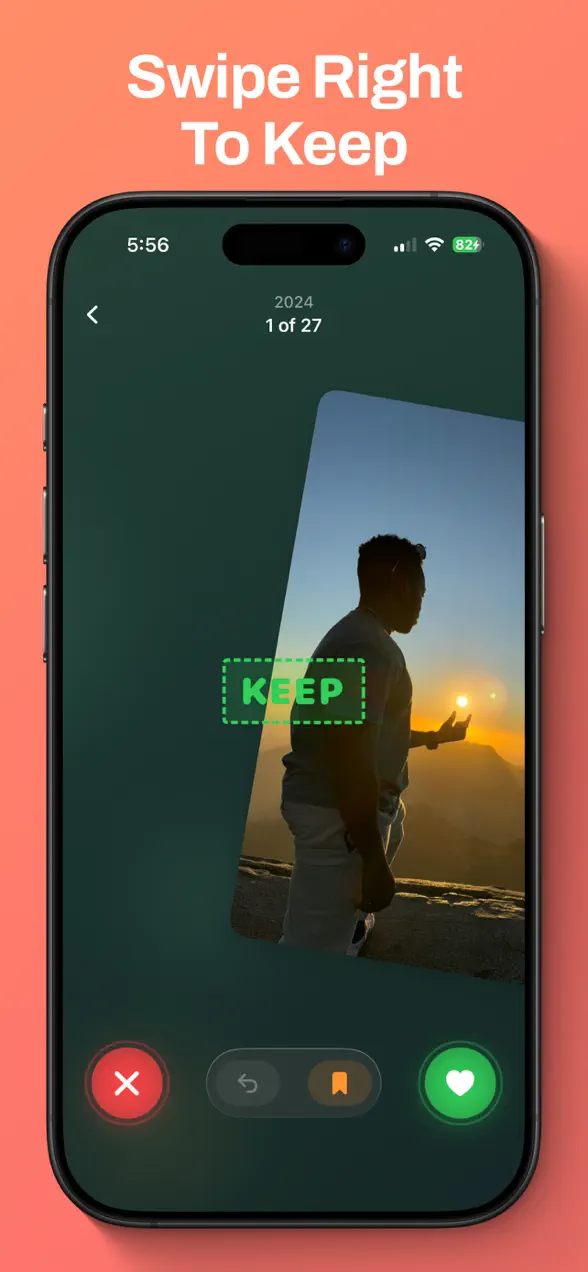
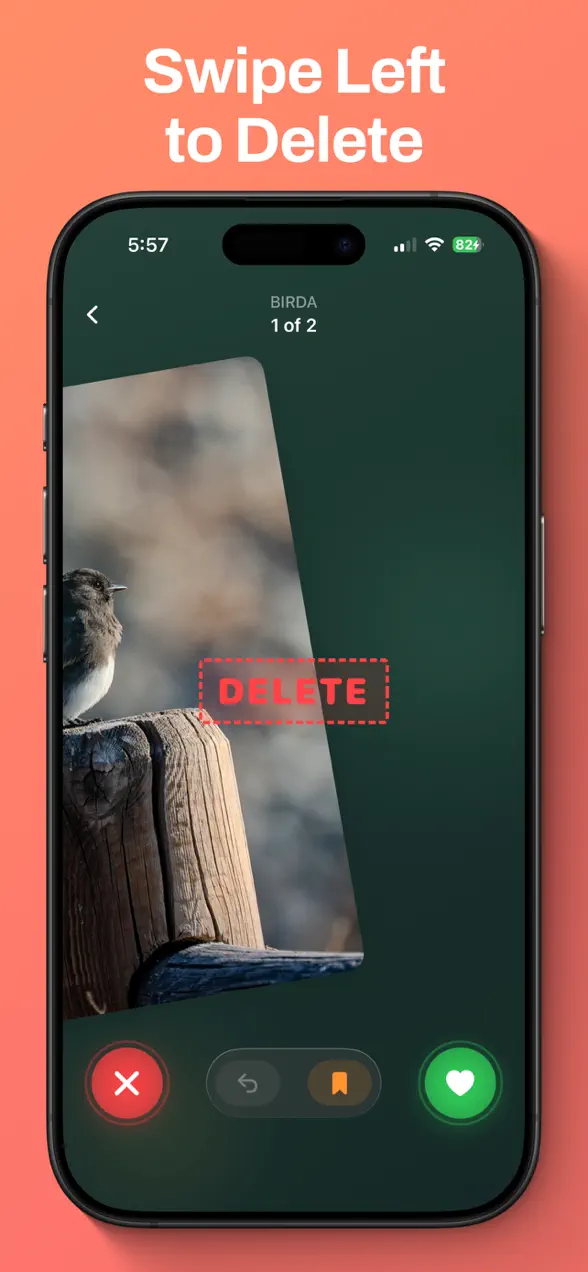
Tidy Cam is a free iOS app that helps you declutter your camera roll one swipe at a time. You see a photo, then keep it, delete it, or bookmark it with a single gesture, right to keep, left to delete, up to bookmark. It groups your library into manageable batches with smart filters and tools, so cleaning out thousands of photos feels like a game instead of a slog.
The app is made by Foggo Apps, the independent studio of iOS developer Charles Chiejina. It was built privacy-first: your photos never leave your device, and nothing is actually deleted until you confirm at the end of a session.
| Platform | iOS (iPhone & iPad) |
|---|---|
| Category | Photo & Video |
| Price | Free, 3-day trial, optional premium |
| Best for | Clearing storage, sorting screenshots, removing duplicates |
| Privacy | Photos stay on your device, nothing is uploaded |
Who is Tidy Cam for?
Tidy Cam is for anyone whose camera roll has quietly grown out of control. A few examples:
- People fighting "Storage Almost Full" who want to reclaim gigabytes without buying more iCloud space.
- Screenshot hoarders who need to clear out hundreds of receipts, memes, and saved-for-later images in one pass.
- Photographers and parents with thousands of near-duplicates and burst shots cluttering every album.
- Anyone who likes a tidy library but never finds a good moment to sit down and sort it the old, slow way.
How to run your first cleanup session
You can free up space in just a couple of minutes:
- Open Tidy Cam and pick where to start, a Monthly Album, a smart filter like Screenshots, or Random Mix for a quick shuffle.
- Swipe through each photo: right to keep, left to delete, up to bookmark the ones you want to revisit.
- Preview videos in full before you decide, no guessing from a thumbnail.
- Set a Cleanup Goal if you want a target to hit, and watch the confetti when you reach it.
- Review your Session Recap to see exactly what you kept, deleted, and bookmarked, then confirm to clear the deleted shots for good.
What makes Tidy Cam different
Smart filters that break the library down
Instead of scrolling one endless reel, Tidy Cam lets you sort by type, Screenshots, Selfies, Videos, or Live Photos, or by time with Monthly Albums and On This Day. The Since Last Clean mode picks up exactly where you left off, so you never re-sort the same photos twice.
Tools that reclaim real storage
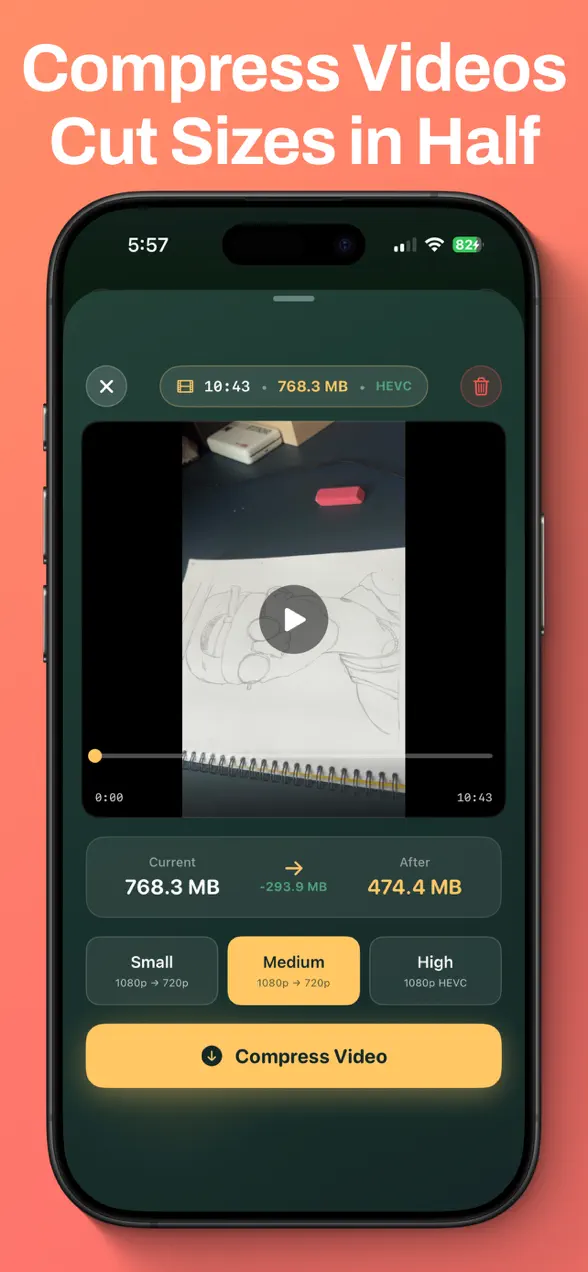
The Duplicate Remover scans your library to find and remove duplicate and burst photos instantly, and the Video Compressor shrinks large videos so you reclaim space without losing the memory. These are usually the fastest wins when storage is tight.
Privacy built in
The Photo Locker hides private photos behind Face ID or a passcode, and a Bookmark Browser keeps everything you saved in one place. Because all of this happens on-device, your library is never uploaded or shared.
Why a swipe-to-clean approach works
Sorting photos fails not because the task is hard, but because it's boring and never-ending. A single decision per photo, keep, delete, or save, removes the friction that makes people give up halfway through an album. Add a recap before anything is permanently deleted, and the fear of an accidental tap disappears too. Tidy Cam's whole design is about making the easy choice the fast one, so a tidy library finally becomes maintainable. If you like apps that turn an everyday chore into a quick, satisfying habit, you'll find a few more in the Foggo Apps blog.
Frequently asked questions
Is Tidy Cam free?
Yes. Tidy Cam is free to download with a 3-day free trial. An optional premium tier unlocks the full experience, but you can start cleaning up your camera roll right away at no cost.
How do you delete photos in Tidy Cam?
You sort photos with simple gestures: swipe right to keep, swipe left to delete, and swipe up to bookmark. At the end of a session you review everything before anything is actually removed from your library.
Can Tidy Cam find duplicate photos and free up storage?
Yes. The Duplicate Remover scans your library to find and remove duplicate and burst photos, and the Video Compressor shrinks large videos to reclaim storage instantly.
Are my photos private with Tidy Cam?
Yes. Your photos never leave your device. Tidy Cam also includes a Photo Locker that hides private photos behind Face ID or a passcode.