
We have all said it: "I'll come back here later." Then later arrives and the spot is gone, the exact bend in the trail, the quiet street corner, the view you wanted to shoot at golden hour. A photo alone rarely tells you how to get back. Pinit fixes that by tying every memory to a precise place and time, in a single tap.

What is Pinit?
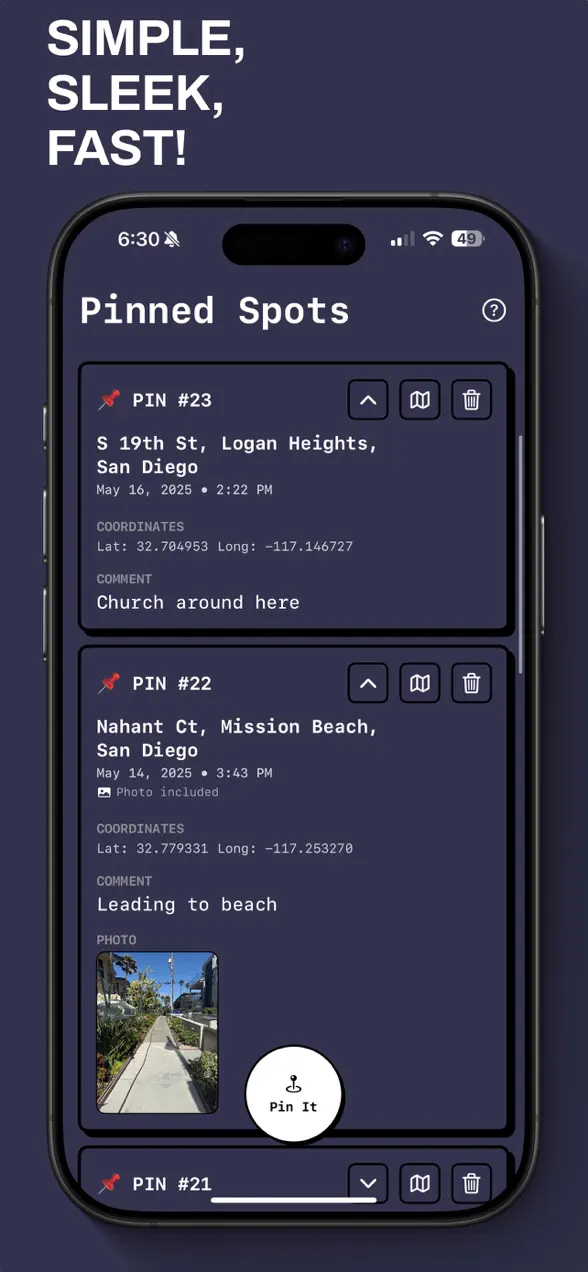
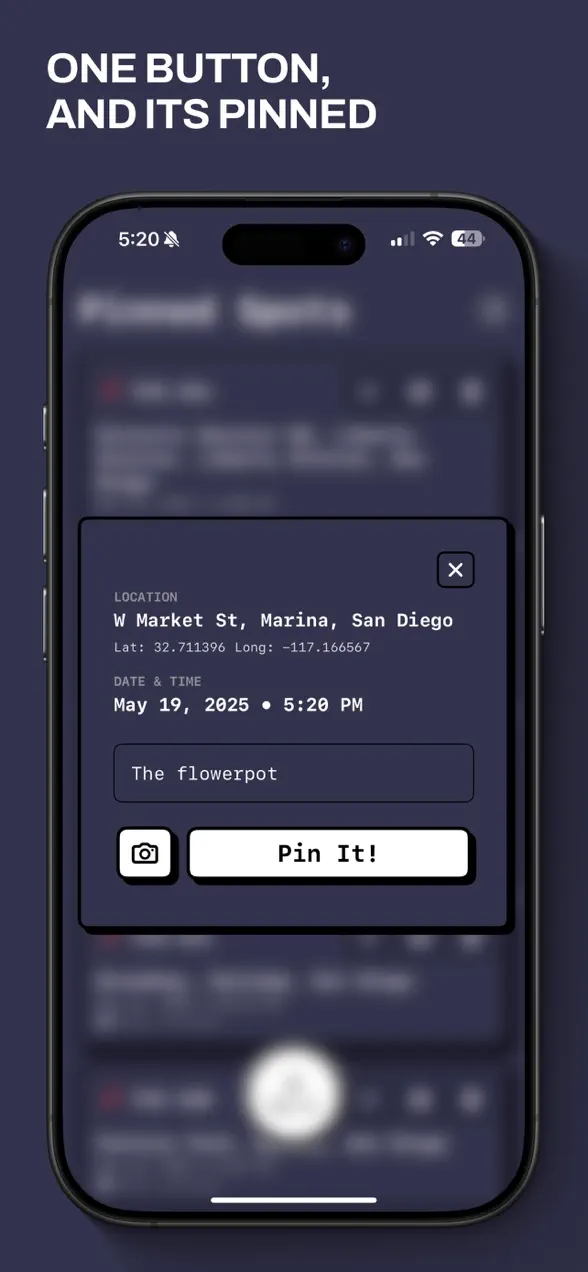
Pinit is a free iOS app that drops a GPS pin on your exact location, lets you attach a photo, and saves the precise date and time of your visit. You can add a quick comment to remember what made the spot special, browse all your saved pins in a clean list, and later navigate straight back using Apple Maps. It works fully offline and needs no account.
The app is made by Foggo Apps, the independent studio of iOS developer Charles Chiejina. It is built privacy-first: there are no logins, no tracking, and everything you save stays on your device.
| Platform | iOS (iPhone) |
|---|---|
| Category | Utilities |
| Price | Free |
| Best for | Runners, travelers, photo scouts, urban explorers |
| Works offline | Yes, GPS pins saved locally, no account |
Who is Pinit for?
Pinit suits anyone who keeps finding places worth returning to. A few examples:
- Runners who want to remember the scenic routes and viewpoints they pass mid-run.
- Travelers spotting hidden gems, a cafe, a viewpoint, a side street, they will want to find again.
- Creatives scouting locations for photo or video shoots, who need the exact GPS spot plus a reference shot.
- Urban explorers and everyday wanderers who say "I'll come back here later" and actually mean it.
How to drop your first pin
The whole point is speed, so it takes one tap to start:
- Open Pinit at the place you want to remember and tap to pin your current GPS location instantly.
- Attach a photo of the spot so you recognize it later at a glance.
- Pinit automatically saves the exact date and time of your visit alongside the location.
- Add a quick comment, a name, a note, whatever made the place worth saving.
- Later, open the pin and let Apple Maps guide you back to the exact spot.
What makes Pinit different
It connects the photo to a place and a time
Most photo apps store an image and not much else. Pinit ties each shot to your exact GPS coordinates, the moment you captured it, and the context you wrote down. That combination is what turns a nice picture into a place you can actually return to.
It works when nothing else does
GPS does not need a cell signal, and Pinit saves everything locally, so you can drop pins deep on a trail, in a basement, or in a foreign city with no data plan. Nothing waits on a connection, and nothing is lost if you are offline.
A bold, distraction-free design
Pinit uses a Neo-brutalist design that is fast, bold, and gets out of your way. Browsing your saved pins is clean and modern, so finding the right memory takes seconds rather than scrolling through a thousand camera-roll images.
Why saving the place matters
A photograph captures what something looked like, but it rarely captures where you were standing. The GPS data buried in a photo is easy to lose when you share, edit, or back up images, and a screenshot of a map loses the picture. Keeping location, time, and context together in one place is what lets a memory stay actionable, something you can walk back to, not just look at.
That same idea, small, focused tools that respect your privacy, runs through everything at Foggo Apps. If you like apps that keep your data on your device, you might also enjoy browsing the rest of the Foggo Apps stories.
Frequently asked questions
Is Pinit free?
Yes. Pinit is free to download on the App Store. There are no logins or accounts required, and your pins are saved locally on your device.
Does Pinit work without internet?
Yes. Pinit uses your phone's GPS, which works without a data connection, and saves your pins locally on the device. You can drop pins and attach photos in remote areas with no signal.
What does each pin save?
Each pin saves your exact GPS location, an optional photo, the exact date and time of your visit, and any comment you add to remember what made the spot special.
Can I navigate back to a saved pin?
Yes. Open any saved pin and Pinit can hand the location off to Apple Maps so you get turn-by-turn directions back to the exact spot you marked.