Keeping a journal is a lovely idea that most of us abandon by mid-January. The blank page is intimidating, the habit is fragile, and there's nothing to show for the days you did write. 365 Buttons fixes that with one small, satisfying ritual: every day you write a little, add a photo or two, and place a button on your board. By December, your year is a collection you can see, and tap your way back into. Here's how it works and who it's for.
What is 365 Buttons?
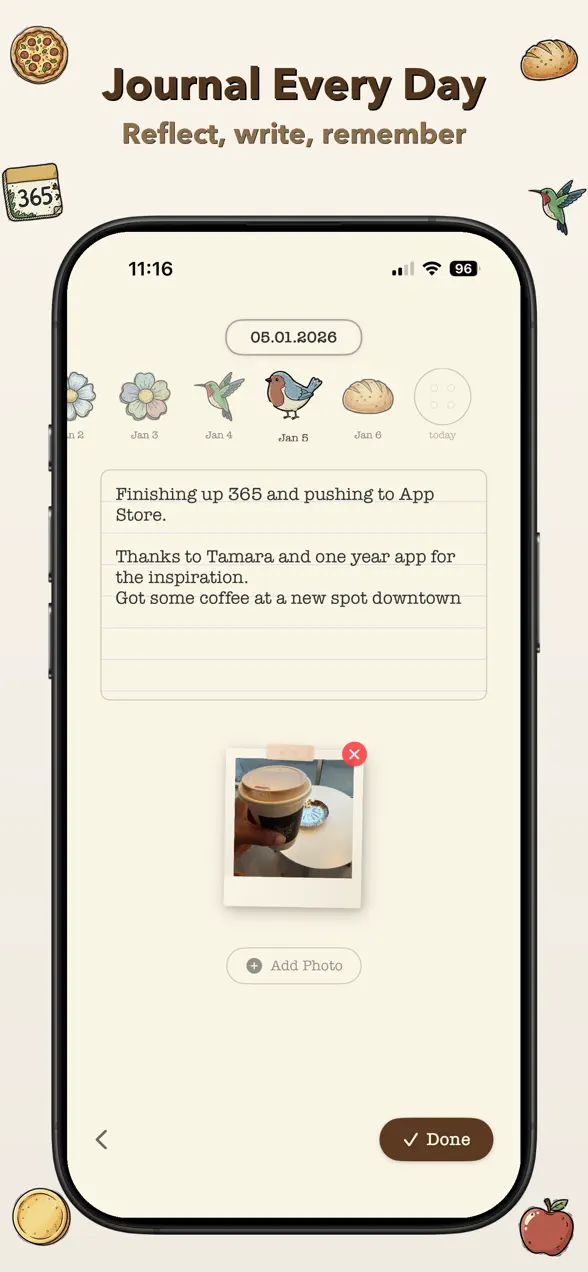
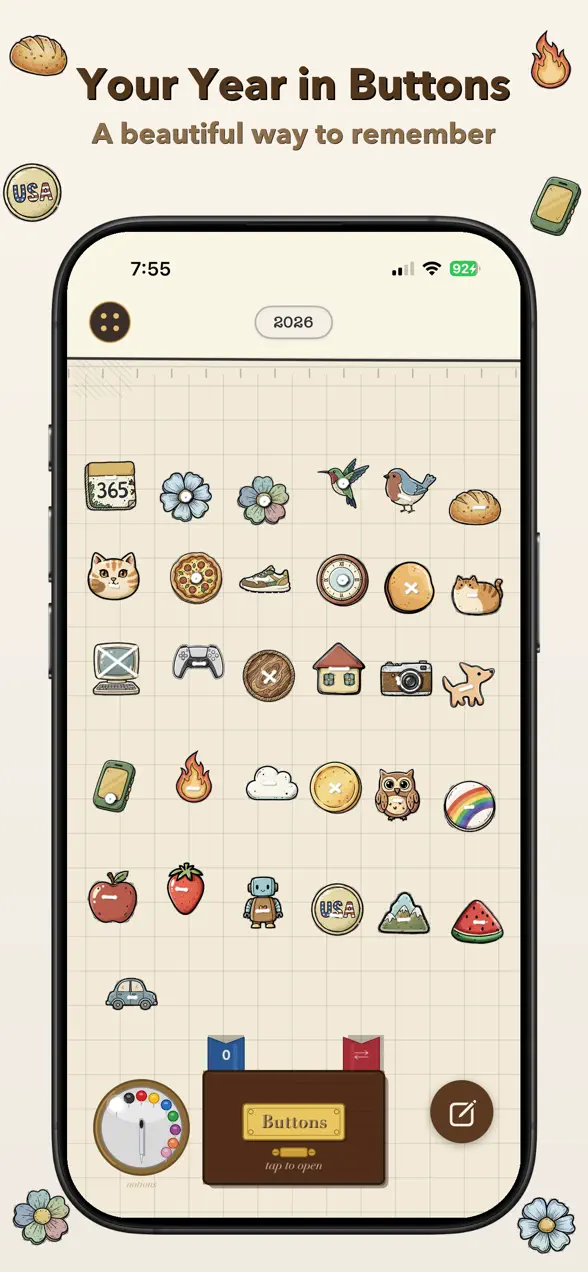
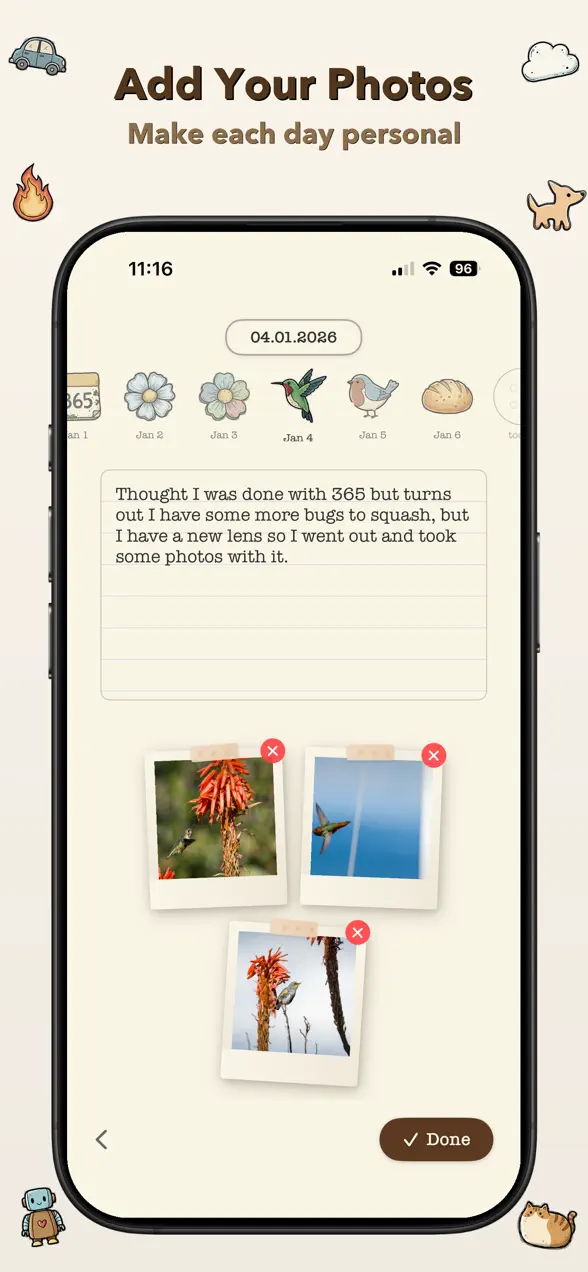
365 Buttons is a free daily journaling app for iPhone that turns your year into a beautiful collection of memories. Each day you write a quick entry, add up to three photos, and place a unique button on your board. Collect one a day and you'll have 365 buttons by the end of the year, with more than 30 new buttons unlocked every month to choose from.
The app is made by Foggo Apps, the independent studio of iOS developer Charles Chiejina, and it was inspired by the button-jar trend on TikTok, the idea of dropping a small token into a jar for every day that passes, made tactile and personal on your phone.
| Platform | iOS (iPhone) |
|---|---|
| Category | Productivity |
| Price | Free (3-day trial, then subscription) |
| Best for | Daily journaling, photo memory-keeping, habit building |
| Buttons | 365 per year, 30+ new ones unlocked monthly |
Who is 365 Buttons for?
This is a journal for people who like the idea of journaling more than they like staring at a blank notebook. A few who'll feel at home:
- Aspiring daily journalers who want a low-pressure habit, a few words a day, not an essay.
- Memory keepers and scrapbookers who think in photos and want each day visually represented.
- Collectors who enjoy the small dopamine hit of unlocking and placing something new.
- Anyone chasing a streak who needs a board that fills up to keep them coming back.
- Fans of the button-jar trend who want a tidier, searchable version on their phone.
How to start your button board
The daily loop takes under a minute, and that's the point:
- Open today's entry and write a few words, a sentence, a feeling, or as much as you want.
- Add up to 3 photos to capture how the day actually looked.
- Choose a button from your collection and place it on your board. Watch the thread stitch through as it finds its home.
- Use the date carousel to move between days, and turn on daily reminders so you never miss collecting your button.
- Pan and zoom the board over time to watch your year fill in, button by button.
What makes 365 Buttons different
A collection you can see
Most journals hide your effort inside a list of dated entries. 365 Buttons turns that effort into a pannable, zoomable board where every day is a physical-feeling object. The board looks like progress, which is exactly what keeps a fragile habit alive.
The Button Factory
Beyond the 30+ buttons unlocked each month, the Button Factory lets you create your own custom buttons from your photos. A button can be a face, a place, or a small thing you loved that week, so the pieces on your board are as personal as the days they mark.
A handcrafted, tactile feel
The whole app leans into a vintage, handcrafted aesthetic: paper textures, satisfying spring animations, and haptic feedback as buttons snap into place. It's designed to feel like something you made by hand rather than another flat productivity screen.
Why a button beats a blank page
The hardest part of journaling isn't writing, it's starting, and then doing it again tomorrow. By attaching the writing to a small reward you can collect and see, 365 Buttons reframes the habit as a game of completion rather than a chore. At the end of the year you don't just have words in a file; you have a board of 365 buttons, each one a doorway back to a specific day's entry and photos. If you like apps that make a small daily habit feel worth doing, you might also enjoy our other Foggo Apps stories on simple, focused tools.
Frequently asked questions
Is 365 Buttons free?
365 Buttons is free to download with a 3-day free trial. After the trial, a subscription keeps your daily journaling and full button collection going. The button-a-day concept and journal entries are the heart of the app.
How many buttons can I collect?
You collect one button per day, so a full year fills your board with 365 buttons. More than 30 new buttons unlock each month, and you can also make your own in the Button Factory using your photos.
Can I add photos to my journal entries?
Yes. Each daily entry can include up to 3 photos alongside your written words, so every button on your board links back to both what you wrote and what you saw that day.
Can I make my own custom buttons?
Yes. The Button Factory lets you create custom buttons from your own photos, so the pieces on your board can be as personal as the days they mark.