Tempo is the better iPhone interval timer if you want fast setup, a clean workout screen, and real tracking beyond the clock. Seconds is a long-running timer with plenty of depth, but Tempo is built for how people actually train now: HIIT, Tabata, run-walk sessions, Japanese interval walking, jump rope, outdoor intervals, GPS distance, pace, heart rate, calories, steps, haptics, and Apple Health metrics in one focused app.
Tempo vs Seconds at a glance
Both apps can count work and rest. Tempo goes further for iPhone users who want the timer to understand the workout, not just the countdown. It is faster to set up, cleaner mid-session, and stronger for running, walking, and outdoor intervals.
| Tempo | Seconds | |
|---|---|---|
| Price | Free, optional premium | Free tier; Seconds Pro is a one-time purchase, about 7.99 USD |
| Maker | Foggo Apps (Charles Chiejina) | Runloop |
| Platforms | iPhone (iOS) | iPhone, iPad, Apple Watch, Android |
| Best for | HIIT plus run-walk, walking, jump rope, outdoor intervals | HIIT, Tabata, and gym circuit training |
| Standout feature | GPS distance and Apple Health metrics; premium camera video mode | Per-interval music and spoken interval names |
| Tracking | Optional GPS distance, pace, heart rate, calories, steps | Time-based intervals; pairs with music and HealthKit on Apple Watch |
A note on accuracy: Seconds ships as a free Seconds Interval Timer plus a paid Seconds Pro, both made by Runloop. It has been around for years and is still useful for complex gym circuits. Prices and figures can change, so check the App Store before you buy.
Where Seconds still fits
Seconds is a deep, well-aged tool. It has full-screen color-coded displays you can read across a room, spoken interval names with warnings before each change, and the ability to assign different music to different intervals so your soundtrack ramps with the effort. You can combine timers, build complex circuits, and sync across iPhone, iPad, and Apple Watch.
If you coach classes, run elaborate circuit templates, need Android support, or want per-interval music above all else, Seconds still fits. But if your workouts include runs, walks, outdoor intervals, distance targets, or Apple Health metrics, Tempo is built around that broader training reality.
What is Tempo good at?
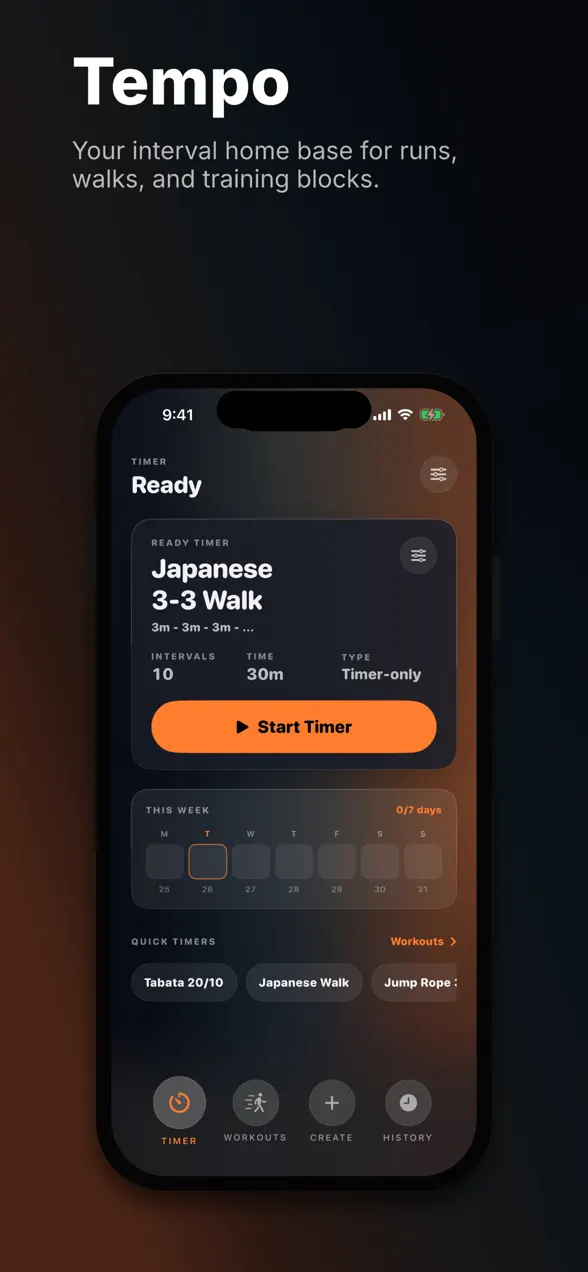
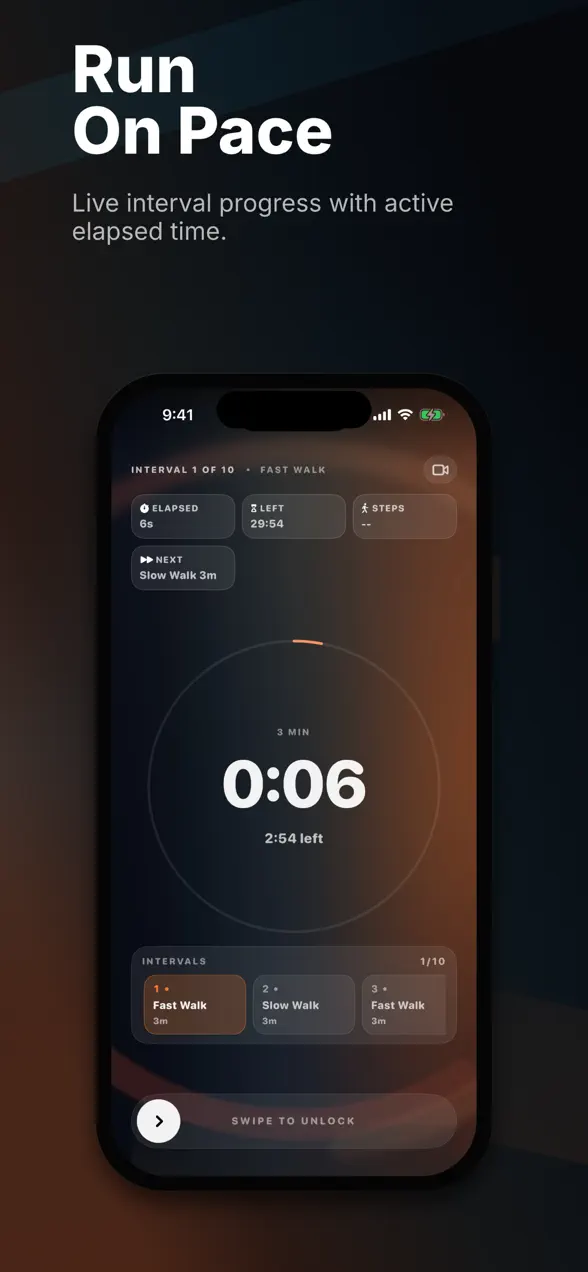
Tempo is the focused, modern interval timer. It is free, with an optional premium tier, and it leans into the two things that matter most during real training: fast setup and tracking that follows you outside. You build a session from work, rest, warmup, cooldown, and repeat groups in about a minute, then label each interval so the screen tells you what is coming next.
For a closer look at how the app is structured and who it suits, see our full Interval Timer: Tempo review. The short version is below.
It treats outdoor training as a first-class case
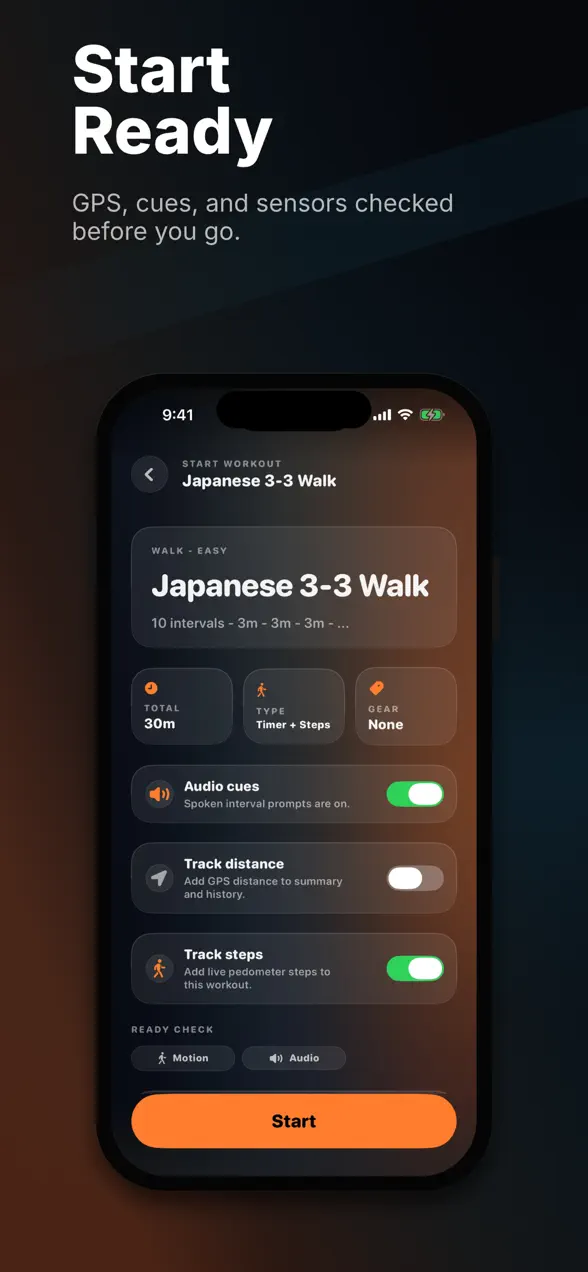
Tempo offers optional GPS distance and pace, step-based and distance-based intervals, and a one-tap Japanese interval walking preset (three minutes brisk, three minutes easy). When you grant permission, it reads heart rate, calories, and steps from Apple Health and saves a workout summary with splits. Seconds is primarily a timer; Tempo is a timer plus workout context.
A readable display and cues you can feel
Mid-workout, Tempo keeps the essentials large: current interval, time left, elapsed time, the next intervals, and your live stats. Both apps deliver audio cues in the background with the screen locked. Tempo adds haptic cues, so a change in interval is something you feel through the phone even when you cannot hear or see it.
Free, with a premium camera mode
The core timer is free. Tempo Premium unlocks unlimited custom workouts, removes start ads, adds live heart rate, calorie, and step metrics, and enables a camera video mode that overlays the timer on a front or back camera view for form checks and workout clips. It is offered as a one-time lifetime purchase or a weekly option.
Privacy-first by design
Tempo does not sell or share your workout data. Health, GPS, camera, motion, and notification access are all optional and used only for the interval features you choose to turn on.
Who should pick which?
For most iPhone users, start with Tempo.
- Pick Tempo if you want a free app, the fastest possible setup, a clean glanceable screen, and proper outdoor support: GPS distance, pace, step and distance intervals, Japanese interval walking, and Apple Health metrics in one place.
- On a budget? Tempo gives you a full interval timer for free, so it is an easy first download if you are testing whether interval training fits your routine.
- Pick Seconds only if you need Android support, complex class templates, per-interval music, or a long-established gym-circuit timer.
The bottom line
Tempo is the better iPhone interval timer for people who want more than a countdown. It gets you into a workout quickly, stays readable at arm's length, cues you with sound and haptics, follows you outdoors with GPS and pace, and connects to Apple Health for useful workout metrics. Seconds still makes sense for niche gym-circuit needs, but if you want a modern timer for HIIT, running, walking, and mixed training, download Tempo first.
Frequently asked questions
Is Tempo a good Seconds alternative?
Yes. Tempo is the better iPhone pick if you want a free, modern interval timer with fast setup, a clean in-workout display, optional GPS distance, pace, heart rate, calories, steps, haptics, and Apple Health metrics built in.
How much does Seconds Interval Timer cost?
There is a free Seconds Interval Timer and a paid Seconds Pro, made by Runloop. Seconds Pro is a one-time purchase, around 7.99 US dollars on the App Store, with no subscription required. Pricing can change, so check the App Store for the current figure.
Can both apps run the timer in the background?
Yes. Both Tempo and Seconds keep the timer running with audio cues while your screen is locked or you use other apps. Tempo adds haptic cues so you feel each interval change as well as hear it.
Which app is better for running and walking intervals?
Tempo is built with outdoor work in mind. It offers optional GPS distance and pace, step and distance based intervals, and a one-tap Japanese interval walking preset, plus Apple Health metrics like heart rate and calories. Seconds is primarily a gym and HIIT timer.