Most habit trackers ask you to set up before you can start: tag your habits, pick categories, configure dashboards, decline a subscription. Did it takes the opposite view. It's a free, deliberately simple habit tracker built on one idea, that the act of marking "I did it" is the whole feature. Here's what it does, who it's for, and how to start your first streak today.
What is Did it?
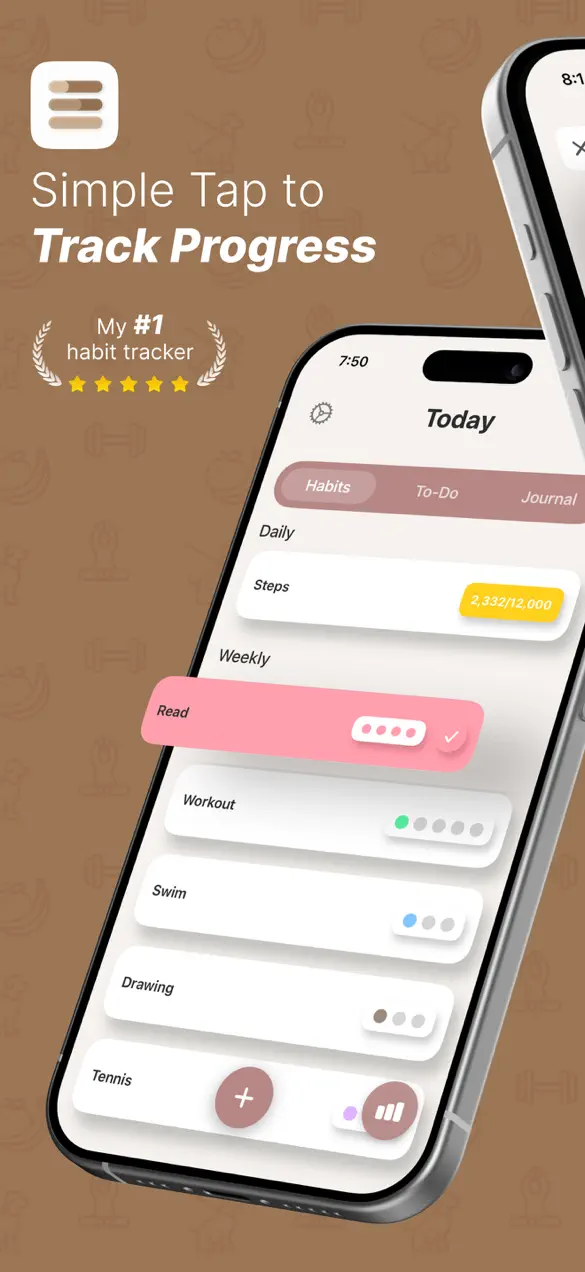
Did it is a free habit tracker for iPhone with a clutter-free interface. You add the habits you want to build, check them off each day, and watch your streaks grow. There are no subscriptions and no busywork, as the app itself puts it, "just you and your goals." It rounds out daily tracking with a built-in journal, a to-do list, and optional Apple Health sync.
The app is made by Foggo Apps, the independent studio of iOS developer Charles Chiejina. Its calling card is restraint: where many trackers pile on features, Did it keeps the screen quiet so the only thing you focus on is whether you showed up today. With a roughly 4.8-star rating, that focus seems to land.
| Platform | iOS (iPhone) |
|---|---|
| Category | Productivity |
| Price | Free, no subscriptions |
| Best for | Daily habits, streaks, health and productivity goals |
| Extras | Built-in journal, to-do list, Apple Health sync, widgets |
Who is Did it for?
Did it suits anyone who wants to build consistency without managing a second app to do it. A few examples:
- People who've abandoned complicated trackers and want something they'll actually open every day.
- Health and fitness goal-setters who'd rather their movement and activity habits tick themselves off through Apple Health.
- Journalers and reflectors who want a quiet space to note how a habit is going right where they track it.
- Anyone working on personal growth, reading, meditating, hydrating, studying, who is motivated by a visible streak.
How to start your first habit
You can be tracking in under a minute:
- Open Did it and add a habit, name it for whatever you want to do daily, like "Read 10 pages" or "Drink water."
- Customize it to fit your goal, then set a reminder so you get a nudge at the right time.
- Each day, mark the habit complete and enjoy the completion animation and sound, your streak begins.
- Turn on Apple Health integration if you want fitness and health goals to sync and mark themselves done automatically.
- Add notes in the built-in journal and line up your day's tasks in the to-do list as you go.
What makes Did it different
Clutter-free by design
The whole app is organized around the moment you tap a habit complete. There's no onboarding maze and no upsell wall, no subscriptions at all. That simplicity is the point: a tracker you don't have to think about is one you'll keep using. If you like that philosophy, you'll recognize it across the Foggo Apps catalog.
Streaks, stats, and satisfying feedback
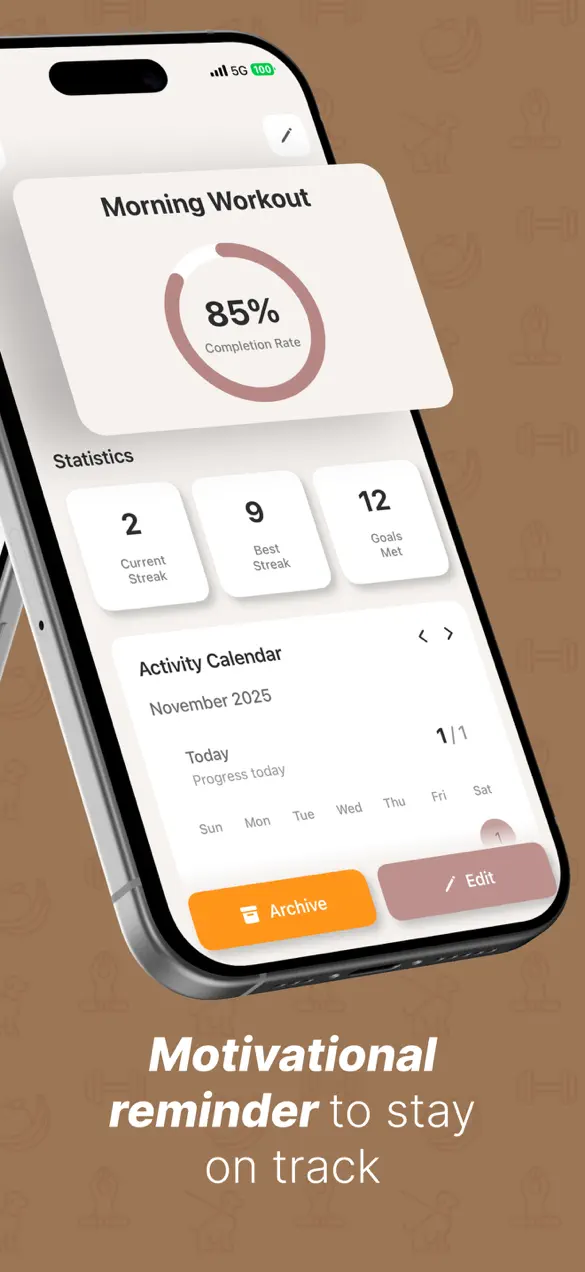
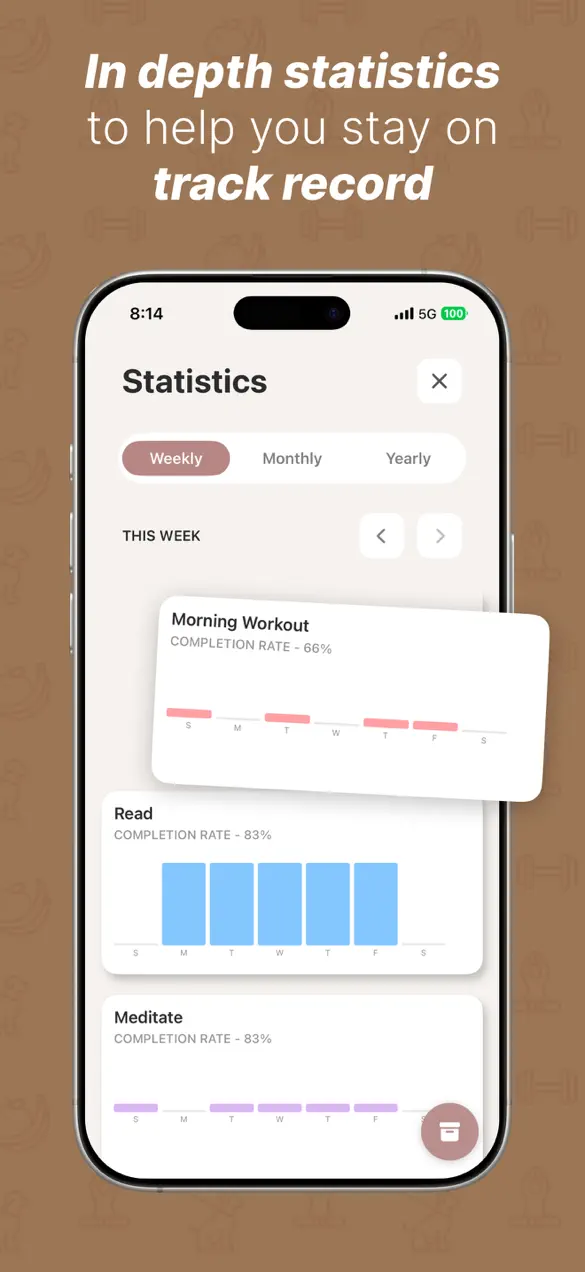
Did it visualizes your progress with growing streaks and statistics, plus a calendar view that shows your consistency over time. Completing a habit triggers a beautiful completion animation with a sound effect, small, but it's exactly the kind of feedback that makes the routine feel rewarding rather than like a chore.
Journal and to-do list, built in
Beyond habits, Did it includes a journal to reflect on your progress and a to-do list to organize daily tasks right alongside your habits. Keeping all three in one quiet place means you're not bouncing between apps to plan your day and check in on yourself.
Apple Health, widgets, and dark mode
Apple Health integration lets your health and fitness goals sync automatically, so movement-based habits can complete without manual check-ins. Home screen widgets give you a quick progress glance without opening the app, and full dark mode support keeps it easy on the eyes day or night.
A quick note on building habits
Habits form through repetition, and the single biggest predictor of whether a new behavior sticks is simply not breaking the chain. That's why streaks work: each completed day raises the cost of missing the next one. The trap most people fall into is friction, if logging a habit takes effort, the logging itself becomes the habit you skip. Did it's job is to remove that friction entirely, so the only thing left to do is the habit. Pair it with a daily reflection in the journal and the loop closes neatly.
Frequently asked questions
Is Did it free?
Yes. Did it is free to download on the App Store, with no subscriptions. It's built to stay simple and clutter-free, just you and your goals.
Can Did it sync with Apple Health?
Yes. Did it includes Apple Health integration so your health and fitness goals can sync automatically, marking those habits complete without manual check-ins.
Does Did it have a journal and to-do list?
Yes. Alongside habit tracking, Did it includes a built-in journal to reflect on your progress and a to-do list to organize daily tasks next to your habits.
How does Did it keep me motivated?
Did it uses growing streaks and statistics, satisfying completion animations with sound effects, customizable reminders, a calendar view of your consistency, and home screen widgets for quick progress checks.